That Cheap USB Cable in Your Junk Drawer Is Quietly Sabotaging Your Builds

Photo by Photo by Barry A on Unsplash on Unsplash
You've spent three weekends debugging a firmware flash that keeps failing at 73%. Your Raspberry Pi randomly drops off the network every few hours. Your Arduino sketch uploads fine once, then throws a sync error the next five times. You've swapped boards, reinstalled drivers, and blamed everything from Windows 11 to cosmic rays.
Here's the thing nobody tells you: it might just be the cable.
Not your board. Not your IDE. Not your power supply. The grubby USB cable you grabbed from a bin at a trade show in 2019 — the one with the logo of a company you've never heard of — could be the single most destructive component in your entire setup. And it almost never gets the blame.
Why Cheap Cables Are a Bigger Deal Than You Think
USB cables aren't passive dumb pipes. A proper USB 2.0 cable has four conductors: two for power (VBUS and GND) and two for data (D+ and D-). A proper USB 3.x cable adds a SuperSpeed differential pair and a ground drain wire. Each of those conductors has to meet specific impedance tolerances, shielding requirements, and cross-talk specs to work reliably.
Bargain cables — especially the ones flooding Amazon from no-name sellers — routinely skip or downgrade these requirements. We're talking aluminum foil shields instead of braided copper, undersized 28 AWG power conductors instead of the 24 AWG minimum spec for longer cables, and data wires with no individual shielding at all. Some of the worst offenders we pulled apart had data conductors so thin they measured closer to 32 AWG. That's not a cable — that's wire jewelry.
The result? Voltage drops that tank your 5V rail under load. Impedance mismatches that turn your clean data signal into a garbled mess. And because these failures are often intermittent — showing up only when the cable flexes a certain way, or when the USB host is pushing real throughput — they're nearly impossible to pin down without the right tools or a lot of patience.
Real Failures, Real Frustration
Scroll through any maker forum — r/arduino, the Adafruit support boards, the EEVblog forums — and you'll find threads that follow a depressingly familiar pattern. Someone posts a desperate plea: "My ESP32 keeps disconnecting during OTA updates." Dozens of replies suggest checking WiFi signal, power supply capacitance, and antenna placement. The thread runs to four pages. Then, buried near the bottom, someone says "try a different USB cable." Problem solved. Thread closed.
One particularly rough case involved a maker trying to program a batch of ATmega328P chips for a small production run. Every third or fourth chip would fail verification. They swapped programmers, checked their fuses, reflashed their bootloader — nothing worked consistently. The culprit turned out to be a USB extension cable running to their AVRISP mkII that was dropping enough voltage under load to cause the programmer to brownout mid-write. A $12 cable was corrupting a $300 production run.
Another common failure mode shows up with USB-to-serial adapters. Cheap cables with inadequate shielding act like little antennas, picking up noise from nearby switching regulators or motor drivers. That noise rides right into your serial data stream and turns clean UART communication into garbage. Your terminal emulator shows junk characters. Your microcontroller can't parse incoming commands. You think your baud rate is wrong. It isn't.
How to Actually Test a Suspect Cable
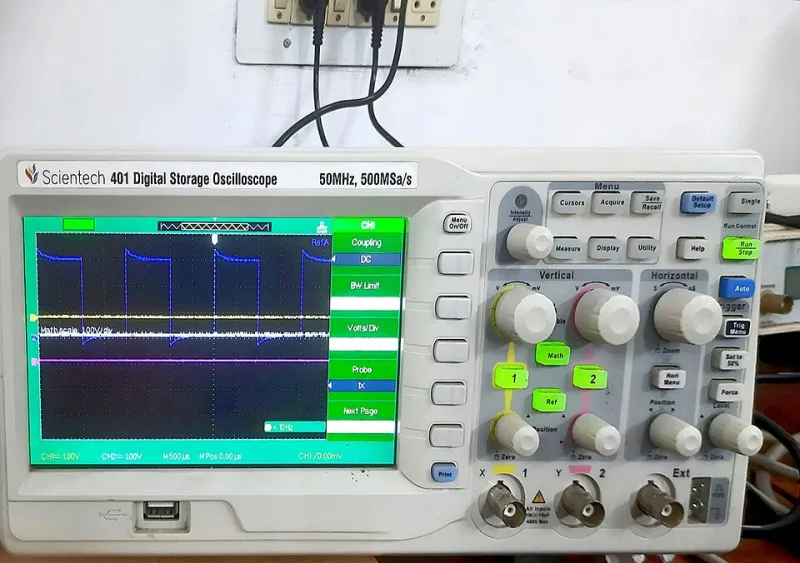
You don't need an oscilloscope to start diagnosing cable problems, though it helps. Here's a practical testing approach any maker can do:
Voltage drop test: Grab a USB power meter (the little inline dongles from Amazon are actually fine for this — they're passive measurement devices, not active cables). Plug it between your host and your device, then load up the bus. A good cable should show less than 100mV of drop at 500mA. If you're seeing 300mV or more, your cable's power conductors are undersized.
Data integrity check: On Linux or macOS, you can use dd to copy a known file to a USB storage device and then md5sum or sha256sum to verify it on the other end. Run this ten times in a row. Any checksum mismatch is a data error — and a red flag. On Windows, TeraCopy has a built-in verify mode that does essentially the same thing.
Physical inspection: Cut open a sacrificial cable. Seriously. A good USB 2.0 cable will have individually foiled data pairs and a braided outer shield. A bad one will have bare, unshielded data wires floating in a sea of filler plastic. You'll know immediately which category your drawer cables fall into.
The wiggle test: Plug in your cable, start a data transfer, and slowly flex the cable near both connectors. Any interruption in transfer speed or a dropped connection points to a marginal mechanical connection — often caused by cheap connector housings with inadequate strain relief.
What to Actually Buy
The good news is that quality USB cables aren't expensive — they're just not free. A few reliable options that consistently hold up in maker applications:
Anker has been a go-to for years in the maker community. Their PowerLine series uses braided nylon jackets and properly specced conductors. Not glamorous, but dependable.
Cable Matters makes solid options for USB 3.x applications and their data sheets are actually readable, which is more than you can say for most of the competition.
StarTech cables are a bit pricier but are a staple in professional AV and IT environments for good reason. If you're doing anything that requires sustained throughput — like programming large flash chips or running USB-attached storage — they're worth the extra few dollars.
For USB-C specifically, look for cables that are USB-IF certified. The USB Implementers Forum maintains a certified products list at usb.org. It's not exhaustive, but anything on that list has passed actual electrical testing rather than just a sticker printing process.
And as a general rule: if a USB-C cable is less than $5 and ships from an overseas warehouse with a two-week delivery window, it belongs in the trash, not your build.
The Takeaway
The maker community is pretty good at debugging the interesting stuff — firmware logic, PCB layout, power supply design. But we've got a collective blind spot for the boring infrastructure holding everything together. Cables feel too mundane to be the problem. They're not.
Before you order a replacement microcontroller or spend another night reading datasheets, spend two minutes swapping your USB cable for something you actually trust. You might be amazed how many "hardware problems" turn out to be a $3 piece of garbage wrapped in braided nylon.
Your junk drawer is not a cable library. It's a failure waiting to happen.