Your Project Is Lying to You About Power: Here's How to Catch It
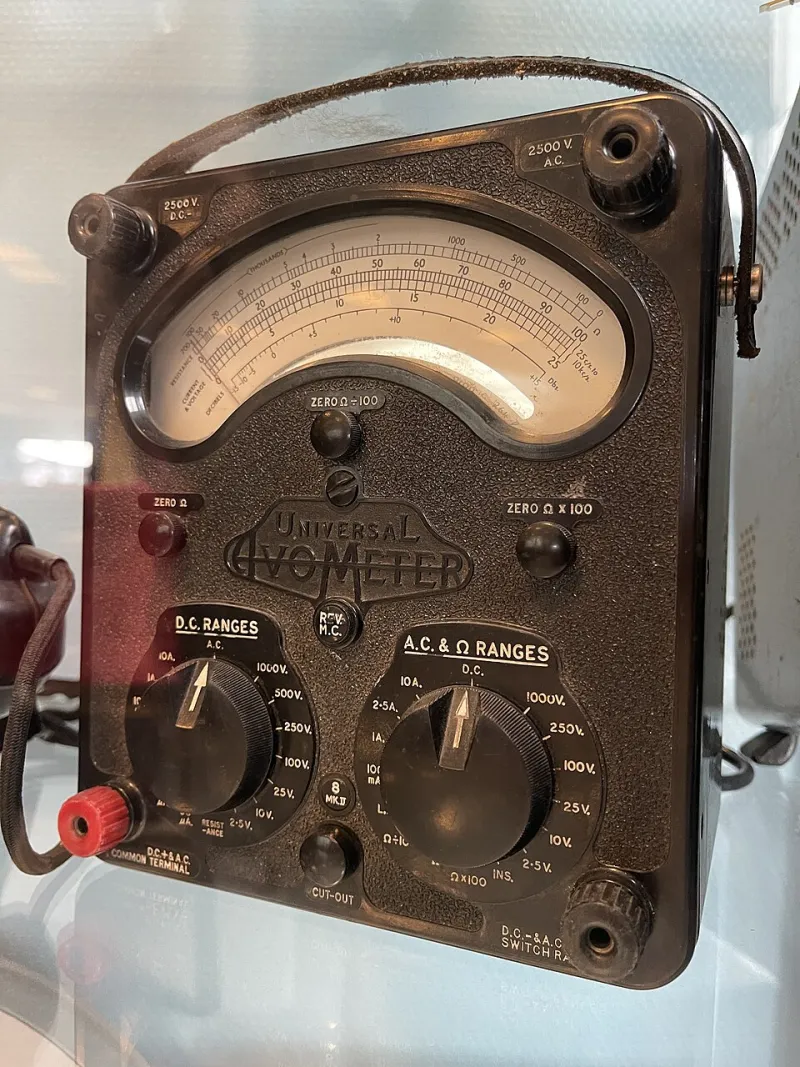
Photo: Wolfmann, CC BY-SA 4.0, via Wikimedia Commons
Every maker has been there. You spec out a battery-powered build, crunch the numbers from a few datasheets, and confidently estimate a two-week runtime. Two days later, the thing is dead. The math was right. The project wasn't.
Power consumption in real-world electronics builds is sneaky. Microcontrollers wake up more often than you think. Voltage regulators bleed current even when nothing downstream is running. That bargain-bin ESP32 module might idle at 80mA instead of the 10mA the spec sheet advertised. Until you actually measure what's happening on your board, you're flying blind.
Let's fix that.
Why Datasheets Will Only Get You So Far
Datasheets give you typical values, sometimes minimum and maximum, under controlled lab conditions. They don't account for your specific firmware, your pull-up resistors, your slightly-off regulator, or the LED you left on because you forgot to disable the status indicator in sleep mode.
The gap between theoretical and actual consumption can be enormous. A project drawing 50% more current than expected isn't unusual—it's basically the norm for first-revision builds. The only way to close that gap is with real measurements on your real hardware.
Your Multimeter Is More Useful Than You Think
A basic digital multimeter in current-measurement mode is the first tool to reach for, and it'll catch a lot of obvious problems. Put it in series with your power supply line and you'll see the total draw instantly.
A few things to keep in mind:
- Use the right range. If your project theoretically draws 200mA, start on the 10A range and work down. Blowing the fuse on your meter's mA input is a rite of passage, but it's an avoidable one.
- Watch for transients. Most basic meters average their readings, which means they'll miss brief high-current spikes during Wi-Fi transmissions, motor starts, or display refreshes. Your average might look fine while individual spikes are quietly stressing your regulator.
- Measure at multiple points. Don't just measure at the battery. Probe individual subsystems—the microcontroller rail, the radio module, the sensor cluster—to isolate which part of your build is the culprit.
For most breadboard debugging sessions, this is enough to find the obvious energy vampires.
Step Up to a Dedicated Power Monitor
If you're serious about battery-powered builds, a dedicated USB or inline power meter is worth every penny. Devices like the Nordic PPK2 (Power Profiler Kit) or even a cheap eBay inline watt meter give you current, voltage, and wattage simultaneously. Some connect to software on your laptop and log data over time, which is where things get genuinely useful.
Logging matters because power draw in embedded systems isn't static. An IoT device might spend 99% of its time in deep sleep at 10µA, then spike to 200mA for 300 milliseconds to send a sensor reading. A single snapshot tells you almost nothing. A logged trace over several minutes tells you everything—average current, peak current, how long those peaks last, and how often they happen.
From that trace, you can calculate real battery life with actual accuracy:
Average current (mA) × battery capacity (mAh) = estimated runtime (hours)
But you need the real average, not the datasheet guess.
Current Clamps for Bigger Builds
Once you move beyond microcontrollers into more substantial hardware—3D printer control boards, CNC setups, larger embedded Linux systems—putting a multimeter in series gets awkward fast. That's where a current clamp comes in.
A clamp meter wraps around a single conductor without breaking the circuit. You just clip it on and read. For AC mains-powered projects, this is basically mandatory from a safety standpoint. For DC systems, make sure you're using a clamp that's rated for DC measurement—many cheaper clamps only handle AC accurately.
Current clamps won't give you the microsecond resolution of a dedicated power profiler, but for diagnosing which subsystem in a larger build is pulling unexpected current, they're fast and non-invasive.
The Oscilloscope Angle
If you've got a bench oscilloscope—or even a cheap DSO like the DS1054Z—you can measure current indirectly by adding a small sense resistor (a shunt) in series with your power line and probing the voltage across it. Ohm's law does the rest: V = IR, so if your shunt is 0.1Ω and you see 10mV across it, you're drawing 100mA.
This approach gives you oscilloscope-level time resolution, which means you can actually see those millisecond-scale current spikes that a multimeter completely misses. It's a little more setup work, but for debugging intermittent power issues or characterizing the behavior of a radio module, it's invaluable.
Keep your shunt value small—10mΩ to 100mΩ is typical—so you're not dropping significant voltage across it and messing with your circuit's behavior.
Finding the Hidden Drains
Once you've got measurement capability, here's what to actually look for:
Voltage regulators. Linear regulators (LDOs) have quiescent current that flows regardless of load. In a sleep-mode application, the regulator itself might be drawing more than your microcontroller. Check the datasheet for Iq values, and consider whether a switching regulator makes more sense for your use case.
Pull-up and pull-down resistors. A 10kΩ pull-up on a 3.3V line draws 330µA constantly. That doesn't sound like much until you've got a dozen of them, or until you're trying to hit a 1µA sleep current target.
Indicator LEDs. A single red LED with a 330Ω current-limiting resistor on a 5V rail draws about 14mA. It's on the whole time your board is powered. Kill it in production builds, or gate it behind a GPIO.
Radio modules in standby. Wi-Fi and Bluetooth modules are notorious for this. "Standby" and "deep sleep" are very different states. Read the firmware documentation, not just the hardware datasheet.
Preventing Thermal Runaway Before It Starts
Here's the part people skip until something smells like burnt plastic: high current draw means heat, and unexpected heat means something is wrong.
If you're measuring more current than you expected, find it and fix it before you pack your build into an enclosure. Thermal runaway in a sealed project—especially one with a LiPo battery—is a genuine safety hazard. A component running hotter than it should is also a component that's going to fail sooner than it should.
Get a cheap IR thermometer or a thermal camera (the FLIR One for smartphones has come way down in price) and scan your board while it's running under load. Hot spots tell you where the current is going even when your probes can't reach.
The Bottom Line
Measuring power isn't glamorous work, but it separates projects that actually ship from projects that sit on the bench with a sticky note that says "battery life problem—TBD." A multimeter, a logging power meter, and a shunt resistor cover the vast majority of what you'll ever need to diagnose. The techniques aren't complicated. The payoff—accurate runtime estimates, cooler-running hardware, and builds that behave the way you designed them—absolutely is.