Loop It Yourself: The DIY Liquid Cooling Revolution Hitting Maker Workshops Everywhere
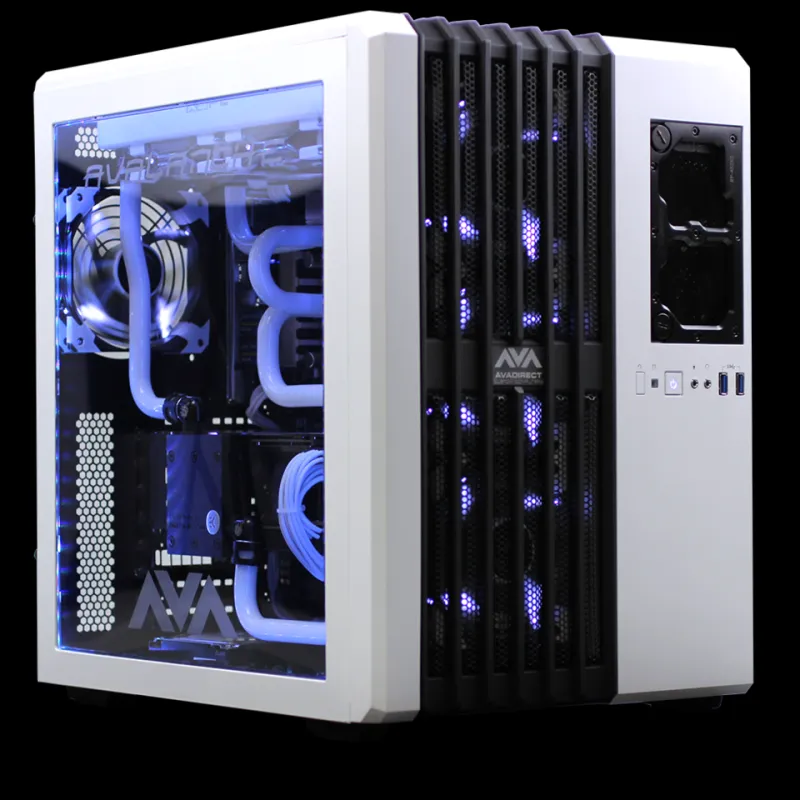
Photo: Nikitarama, CC BY-SA 4.0, via Wikimedia Commons
There's something deeply satisfying about a custom liquid cooling loop. The soft glow of coolant moving through clear tubing, the near-silence of a well-balanced pump-radiator setup, the knowledge that you designed and built the whole thing yourself. For a growing segment of the maker community, that satisfaction — plus some genuinely impressive thermal performance — is driving a full-on rebellion against the humble heatsink.
But let's be honest: liquid cooling has a reputation. It's expensive. It leaks. It's complicated. Some of that reputation is earned, and some of it is outdated mythology. Let's sort out which is which.
The Problem with "Just Slap a Bigger Heatsink On It"
For most standard desktop builds, a good air cooler absolutely does the job. A Noctua NH-D15 or a Be Quiet! Dark Rock Pro will keep even a power-hungry CPU well within spec, and they'll do it quietly, reliably, and without any maintenance. Nobody is arguing against air cooling for a typical gaming PC.
The issue comes at the edges — the places where makers tend to live. Overclocked processors running sustained workloads. Custom small-form-factor builds where there's physically no room for a tower cooler. FPGA boards or custom compute clusters where you're trying to cool multiple chips with a single loop. High-wattage Peltier (TEC) experiments where you're actively trying to get below ambient temperature. Industrial cooling hardware repurposed for a home lab setup.
In these scenarios, air cooling either can't keep up thermally or simply won't fit. That's where liquid cooling stops being a luxury and starts being a practical engineering choice.
AIOs vs. Custom Loops: Know What You're Getting Into
All-in-one liquid coolers are the gateway drug. A 240mm or 360mm AIO is a sealed unit — pump, radiator, and cold plate come pre-assembled, pre-filled, and ready to bolt in. For most people getting into liquid cooling for the first time, an AIO is the right call. They're reliable, warranty-backed, and genuinely outperform most air coolers in a compact package.
But AIOs have real limitations that the maker crowd runs into quickly. You can't add components to the loop. You can't cool your GPU, chipset, or custom hardware. The pump and radiator are fixed — you can't upgrade them independently. And when an AIO fails (and eventually they do), the whole unit goes in the trash.
Custom loops flip all of that. You choose every component: the pump, reservoir, radiator size and count, CPU block, GPU block, tubing material, fittings, and coolant. You can cool an entire system — CPU, GPU, and even motherboard VRMs — with a single loop. You can service and upgrade individual components. And when you build it right, the performance ceiling is dramatically higher than any AIO on the market.
The tradeoff is obvious: complexity, cost, and the very real possibility of a leak if you rush the build or skip the leak test.
The Parts That Actually Matter
When makers get into custom loops, the component that gets the least attention is often the one that matters most: the pump. An underpowered pump creates inadequate flow rate, which tanks your thermal performance regardless of how big your radiator is. The Alphacool DC-LT and DDC/D5 variants (from Laing, rebranded by several manufacturers) are the workhorses of the hobby. Don't cheap out here.
Radiators are where you buy thermal headroom. Thicker radiators (60mm) move more heat but require higher static pressure fans. Thinner 30mm radiators are more forgiving with fan selection. A rough rule of thumb: 120mm of radiator space per 100W of TDP you're cooling. If you're pushing a 250W CPU and a 350W GPU, you're looking at a 600mm+ radiator setup minimum — think dual 360mm rads.
Tubing choice is surprisingly divisive in the community. Soft tubing (silicone or EPDM) is flexible and forgiving, great for first builds. Hard tubing (PETG or acrylic) looks incredible and doesn't kink, but requires heat bending and a steadier hand. Many builders start soft and go hard on their second loop.
Where It Gets Really Interesting: Industrial Repurposing
Here's where the maker overlap gets genuinely exciting. The DIY cooling community has discovered that industrial and HVAC components — never designed for PC cooling — can be repurposed with impressive results.
Automotive transmission coolers, for instance, make surprisingly capable radiators and cost a fraction of purpose-built PC rads. Aquarium pumps have been pressed into service for low-flow loops. Refrigeration chiller units from lab equipment have found second lives cooling overclocked servers in home labs. Some particularly adventurous builders have integrated copper coils into custom reservoirs, running them through an ice bath for sub-ambient cooling during benchmark runs.
This is where the maker ethos and the cooling hobby converge most clearly — the willingness to look at a component designed for one purpose and ask "what else can this do?"
The Misconceptions That Keep Beginners Out
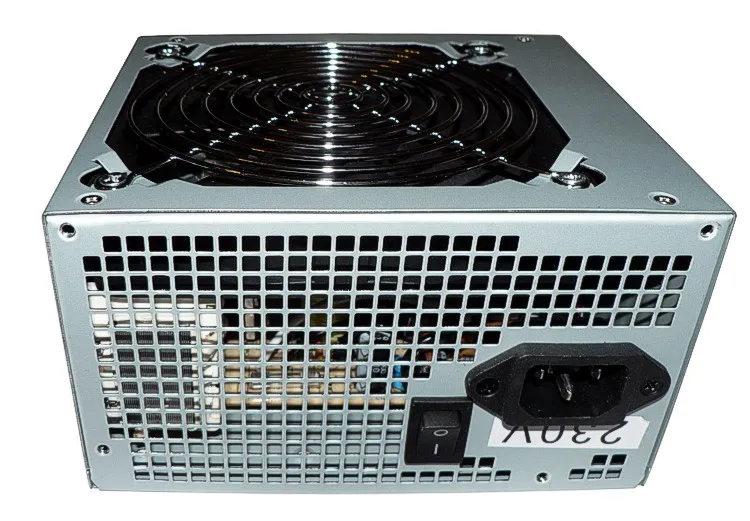
The biggest myth: liquid cooling is inherently dangerous for electronics. A properly built, properly tested loop doesn't leak. The key phrase is "properly tested" — every custom loop should be leak-tested with the system powered off, using a standalone power supply to run just the pump, for at least 24 hours before you fire up your components. Do this, and leaks become a non-event.
The second myth: liquid cooling is always quieter than air. This depends entirely on your fan and pump selection. A poorly configured loop with cheap fans running at full speed is louder than a quality air cooler. The silence potential is there, but it requires dialing in your fan curves and choosing a low-noise pump.
The third myth: maintenance is constant. A well-built loop with quality coolant (premixed distilled water with biocide, or a commercial coolant concentrate) needs a flush and refill roughly once a year. That's it.
Should You Make the Jump?
If you're cooling a standard gaming PC and you're happy with your temps, probably not — an air cooler or AIO is the sensible choice. But if you're pushing the edges of what your hardware can do, building in a tight space, cooling custom or industrial silicon, or you just want to build something genuinely impressive that you designed yourself, a custom loop is one of the most rewarding projects in the maker toolkit.
Start with an AIO to get a feel for liquid cooling, study the builds on communities like r/watercooling or the forums at Overclock.net, and when you're ready, dive in. Just remember to leak test. Seriously.