Your Soldering Iron Is Lying to You: The Hidden Temperature Problem Wrecking Your Builds
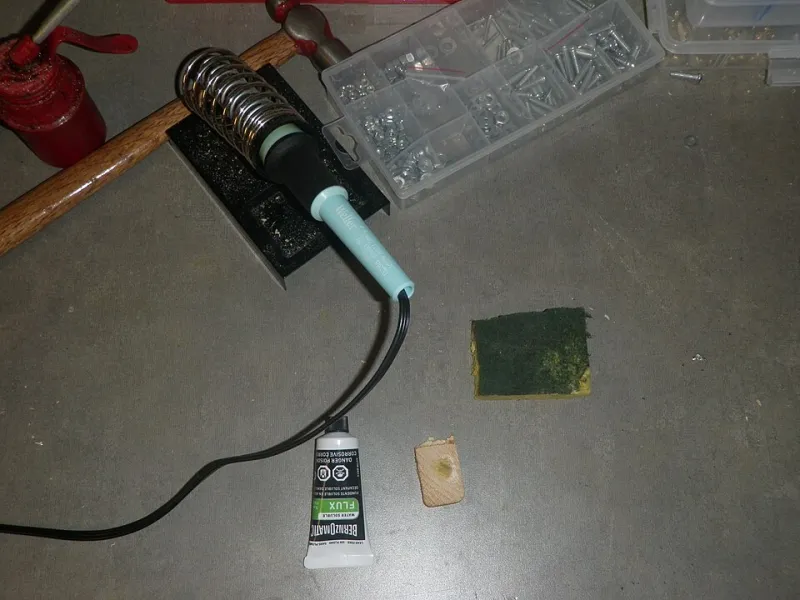
Photo: Jstapko, CC BY-SA 3.0, via Wikimedia Commons
You've got your iron dialed to 350°C, your solder is flowing, joints look shiny, and everything seems fine. Except — it's probably not fine. That number on your station's display or that notch on your analog dial? There's a good chance it's off by 20, 40, sometimes even 80 degrees from what's actually happening at the tip. And that gap, invisible to the naked eye, is quietly responsible for a whole category of failures that makers tend to blame on everything else.
Bad flux. Cheap solder. A cold joint. A suspect component. We've all been down that rabbit hole. But before you swap out your materials or start questioning your technique, it's worth asking: do you actually know what temperature your iron is running at?
Why Iron Temperature Is Almost Never What You Think
Let's start with the physics. Soldering iron tips lose heat the moment they contact a pad, lead, or component. The iron's control circuitry — if it has any — tries to compensate, but there's always lag. Budget stations, especially the ubiquitous Hakko knockoffs and white-label 60W irons flooding Amazon, often use thermal sensors that are either poorly calibrated from the factory or degrade over time as tips oxidize and accumulate flux residue.
Even name-brand stations aren't immune. A legitimate Hakko FX-888D fresh out of the box can show tip temperature variance of ±15°C under load. That's within spec, technically, but it matters a lot when you're working with temperature-sensitive components like MOSFET drivers, fine-pitch QFP packages, or anything with a nearby electrolytic cap that doesn't love prolonged heat exposure.
Analog irons — the kind with a simple dial numbered 1 through 5 or marked in vague temperature ranges — are essentially guesswork. You're setting a wattage curve, not a temperature. The actual tip temp depends on ambient conditions, tip geometry, tip age, and how long you've been working. Two identical irons set to the same dial position can differ by 50°C or more on the same bench.
The Two Failure Modes Nobody Talks About
Most soldering guides focus on cold joints from insufficient heat. That's real, but it's only half the problem. Running too hot is equally destructive — and arguably harder to diagnose because the damage isn't always visible.
Running too cool leaves you with exactly the cold joints you've read about: dull, grainy, high-resistance connections that crack under vibration or thermal cycling. But subtle under-temperature failures are sneakier. At slightly-too-low temps, solder wets the pad but doesn't fully bond to the lead. The joint looks acceptable under a loupe. It passes a tug test. It works fine on the bench. Then, six months later, after a few dozen power cycles and a winter's worth of temperature swings in your garage workshop, it starts intermittently failing.
Running too hot destroys things faster, but the mechanism is less obvious. Pad delamination is the big one — the copper trace lifts cleanly off the FR4 substrate and you often don't notice until you try to rework the joint. Flux burns off too quickly, leaving oxidized solder and poor wetting. Component leads on through-hole parts can wick heat straight into the package, degrading semiconductors that might test fine immediately but fail early. With SMD work, tombstoning and component drift become more likely when one side of a passive heats faster than the other.
Thermal imaging studies of common iron tips during real soldering sessions show something alarming: tip temperature can spike 30–60°C above the setpoint during the first second of contact with a large pad or ground pour, then drop 20–40°C below setpoint on a sustained connection. Your iron is constantly hunting, and the range it hunts across matters enormously for joint quality.
How to Actually Calibrate Your Iron
The good news: verifying your iron's real-world temperature is cheap and straightforward. You don't need a metrology lab.
Tip thermometers are the most direct solution. A dedicated soldering tip thermometer — essentially a thermocouple probe with a fast response time and a small contact surface — runs $15 to $40 and gives you an instant readout when you press the iron tip against the sensor. The Hakko FG-100B is the gold standard at around $40. The Anbes and Mestek alternatives on Amazon hover around $15–20 and are accurate enough for most makers. Press the tip firmly, wait for the reading to stabilize, and compare it to your station's display. If you're off by more than 10°C, adjust your setpoint accordingly or note the offset.
Thermocouple meters with fine probes give you more flexibility. A Type-K thermocouple paired with a decent digital multimeter with thermocouple input (the Fluke 101 or even a $12 AstroAI unit works here) lets you probe temperatures in ways a dedicated tip thermometer can't — including checking pad temperatures during actual soldering to understand your heat transfer efficiency.
Solder alloy melting points as a reference are a low-tech sanity check. Standard 63/37 tin-lead eutectic solder melts at exactly 183°C. SAC305 lead-free alloy melts at 217–220°C. If your iron is set to 250°C and your solder isn't flowing freely on a clean tip, something's wrong. This won't tell you your exact temperature, but it'll catch gross errors immediately.
What to Do With the Numbers
Once you know your actual tip temperature, the calibration process depends on your station. Higher-end digital stations like the Hakko FX-888D, JBC CD-2BQE, or Weller WE1010NA often have calibration menus accessible through button combinations — check your manual or a quick YouTube search for your specific model. Many makers are surprised to discover this feature exists and has never been touched.
For stations without calibration menus, just work with known offsets. If your station reads 350°C but your thermometer says 310°C, you now know to set it to 390°C for your actual target. Write it on a piece of tape and stick it to the station. Unglamorous? Sure. Effective? Absolutely.
Also worth doing: test multiple tips. Tip geometry, wear, and plating condition all affect heat transfer. Your conical tip and your chisel tip will perform differently at the same setpoint. Build a quick reference card for each tip you regularly use.
The Gear Worth Owning
If you're building anything beyond one-off hobby projects — custom PCBs, production-run small batches, anything that needs to be reliable — invest in at least a basic tip thermometer. The $15 to $40 you'll spend is trivially cheap compared to the cost of a reworked board, a damaged component, or a field failure.
For makers doing SMD work regularly, a thermal camera like the FLIR ONE or the more affordable Seek Thermal Compact adds a whole new dimension of visibility. Watching heat distribution across a board during soldering is genuinely illuminating — you'll see ground pours acting as heat sinks, spot thermal gradients across packages, and understand why some joints always give you trouble.
Your iron is a precision tool being used without calibration. Fix that, and a whole category of mysterious failures quietly disappears.